Request an OAuth client
You describe the client you need in a small file and open a pull request. Once it is approved and merged, Courier creates the client and places its credentials where only your team can read them. You never receive a secret by email or chat.
Before you start
- Your team directory. Requests live under
requests/<team>/, for examplerequests/team-alpha/. The directory name is also your identity-provider group. If your team has no directory yet, ask the identity team to add one along with its code owners. - Group membership. Anyone who should read the credentials must be in that group in the identity provider.
- Your redirect URIs (for sign-in flows), on an approved domain such as
*.sororlab.dev.
Choose a client type
| You are building | Client type | Grant types | Gets a secret |
|---|---|---|---|
| A web app or MCP server that signs users in | confidential | authorization_code, optionally refresh_token | yes |
| A backend job or service calling APIs as itself | confidential | client_credentials needs approval label | yes |
| A desktop app, CLI, IDE plugin or single-page app | public | authorization_code with PKCE | no |
If you are unsure, pick confidential for anything that runs on a server and public for anything installed on a user's device.
From Backstage (easiest)
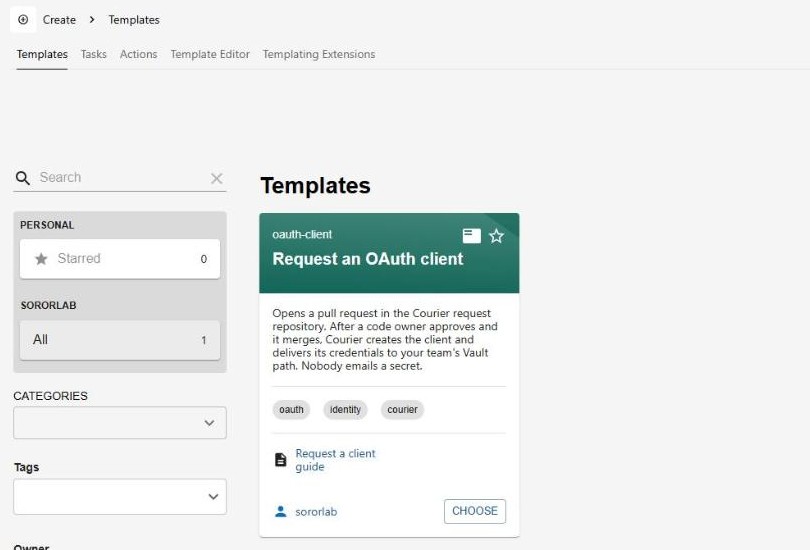
In Backstage, open Create and choose Request an OAuth client. The form asks four things and opens the pull request for you. It writes exactly the files described in the next section.
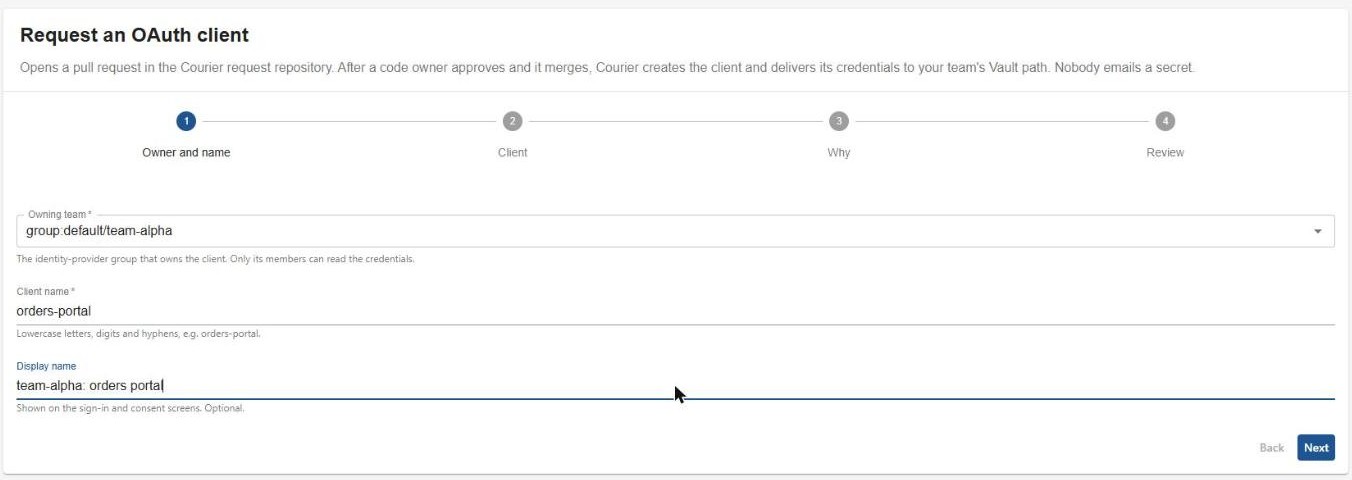
- owner and name
Pick your team (only Courier teams are offered), a client name and an optional display name.
- client
Choose the client type and grants, and add redirect URIs and scopes.
- why
Say what the client is for. It goes into the pull request for reviewers.
- review
Check the summary and click Create. Backstage opens the pull request and links to it.
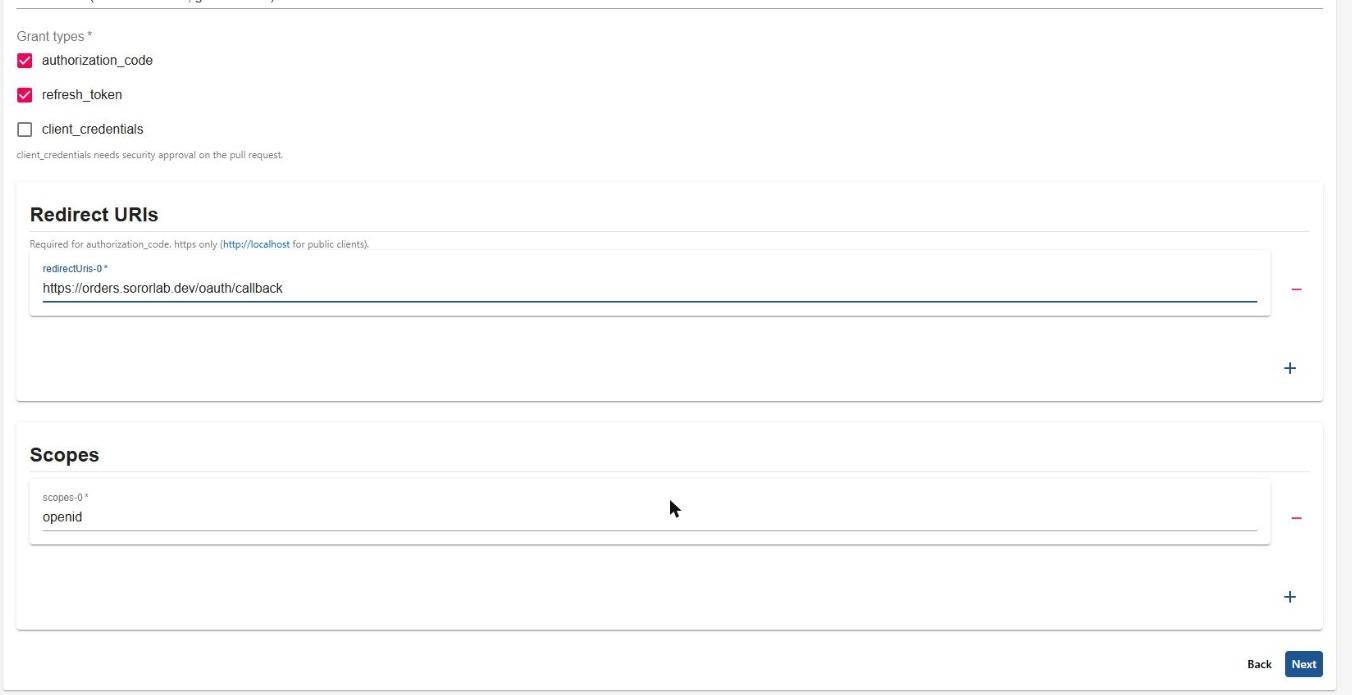
client_credentials needs security approval.After merge, your client appears on your team's page in Backstage, with its delivery status on the Kubernetes tab and a link to Use your credentials. See pull request #2 for a real run.
Or write the request by hand
Create requests/<team>/<name>.yaml. The file name must match metadata.name, and metadata.namespace must match your team directory.
A service that signs users in
# requests/team-alpha/orders-portal.yaml
apiVersion: courier.sororlab.dev/v1alpha1
kind: OAuthClient
metadata:
  name: orders-portal
  namespace: team-alpha
spec:
  displayName: "Orders portal"
  clientType: confidential
  grantTypes: [authorization_code, refresh_token]
  redirectUris:
    - https://orders.sororlab.dev/oauth/callback
  scopes: [openid, profile, email, offline_access]
A machine-to-machine job
# requests/team-alpha/billing-sync.yaml
apiVersion: courier.sororlab.dev/v1alpha1
kind: OAuthClient
metadata:
  name: billing-sync
  namespace: team-alpha
spec:
  clientType: confidential
  grantTypes: [client_credentials]
  scopes: [openid, profile, groups]
Optional fields: allowGroups lets additional groups sign in through the client (it defaults to your team). The full list is in the reference.
Check it locally (optional)
go run ./cmd/courier validate requests
# 3 request(s) valid
Open the pull request
- you
Push a branch and open a pull request against
main. - check
Client requests / Validate requests runs. Problems appear as annotations on the exact file, and the run summary shows a table of what will change.
- you
Fix anything flagged and push again. The check re-runs automatically.
- approvers
Your team's code owner reviews. If the request uses
client_credentials, the identity or security team adds thesecurity-approvedlabel; the check re-runs when the label is added. - you
Merge once the check is green and approvals are in.
Example check summary
| Change | Team | Client | Type | Grants | Credentials path | Approval |
|---|---|---|---|---|---|---|
| added or changed | team-alpha | billing-sync | confidential | client_credentials | kv/teams/team-alpha/oauth-clients/team-alpha-billing-sync | needs label security-approved |
Common check messages
| Message | Fix |
|---|---|
metadata.name "x" must match the file name "y" | Rename the file or the object so they match |
metadata.namespace "x" must be the team directory "y" | Set namespace to your team directory name |
redirect URI ...: must use https | Use https; plain http is only allowed for localhost on public clients |
redirect URI host "x" is not in allowedRedirectHosts | Use an approved domain, or ask the identity team to extend the policy |
client_credentials requires a confidential client | Change clientType to confidential |
needs the "security-approved" label | Ask the identity or security team to review and add the label |
invalid OAuthClient: unknown field | A field name is misspelled; compare with the examples above |
After merge
Within a few minutes ArgoCD syncs your file and Courier delivers the credentials. To see the status, check your team's application in ArgoCD, or with cluster access:
kubectl -n team-alpha get oauthclients
NAME           READY   TYPE           CLIENT ID                     SECRET PATH
billing-sync   True    confidential   AVcNRtABgj6SSC8VUkON...      kv/teams/team-alpha/oauth-clients/team-alpha-billing-sync
If READY is False, kubectl -n team-alpha describe oauthclient billing-sync shows the reason. Most failures are retried automatically; NameConflict and InvalidSpec need a change to the request.
Read your credentials
The vault entry contains:
| Key | Example |
|---|---|
client_id | AVcNRtABgj6SSC8VUkON… |
client_secret | confidential clients only |
issuer, token_endpoint, authorization_endpoint, jwks_uri, userinfo_endpoint | https://auth.sororlab.dev/application/o/team-alpha-billing-sync/ |
client_type, grant_types, scopes, owner_group | what you requested |
state | active when ready. Do not use pending credentials. |
As a person, from your laptop
export VAULT_ADDR=https://vault.sororlab.dev
vault login -method=oidc
vault kv get kv/teams/team-alpha/oauth-clients/team-alpha-billing-sync
vault kv get -field=client_secret kv/teams/team-alpha/oauth-clients/team-alpha-billing-sync
From a workload
Log in with the workload's own identity, never with a person's token. Use your credentials covers the Python sample (JWT or Kubernetes service-account login) and External Secrets, which syncs the credentials into a Secret in your namespace using a store that is set up for your team automatically.
Read the secret at runtime rather than copying it into configuration files, tickets or chat. If it is ever exposed, ask the identity team to rotate it; removing and re-adding the request also issues a new one.
Change or retire a client
- Change it: edit the file and open a pull request. The client is updated in place and the secret stays the same.
- Retire it: delete the file and open a pull request. After merge, the client is removed from the identity provider and its credentials are destroyed. Anything still using them stops working.
Questions
Can another team read our secret?
No. The vault path is scoped to your identity group. The check rejects requests whose owner is not your team directory, and the controller enforces the same rule.
Someone joined or left our team. What do we change?
Nothing in Courier. Update the group in the identity provider; vault access follows on their next sign-in.
We already have a client that was set up by hand.
Courier will not touch it, and a request with the same name reports NameConflict. Choose a new name; adopting existing clients is on the roadmap.
How fast is it?
In the reference environment the client is ready about four seconds after ArgoCD applies the merged file. ArgoCD itself polls Git every few minutes.