The web UI

Tour

The UI is built into the binary: nothing else to install. Light or dark, on a desktop or a phone.

These are captured by the Playwright suite against a real server (SHOTS=1 npx playwright test), so they always match the code. The test server is minutes old, so its charts are short.

See what's happening
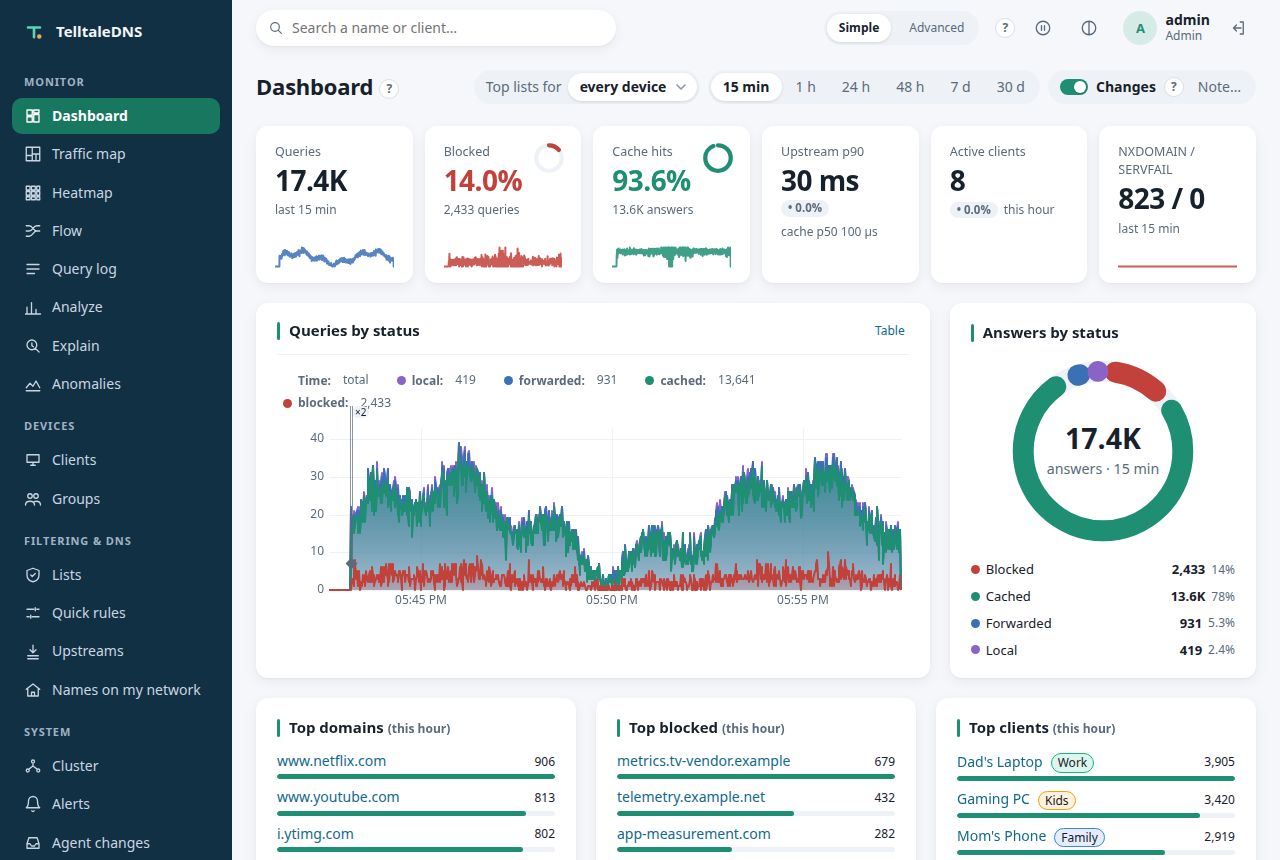
Dashboard: KPI tiles with their change and sparklines, queries by status, and the sidebar
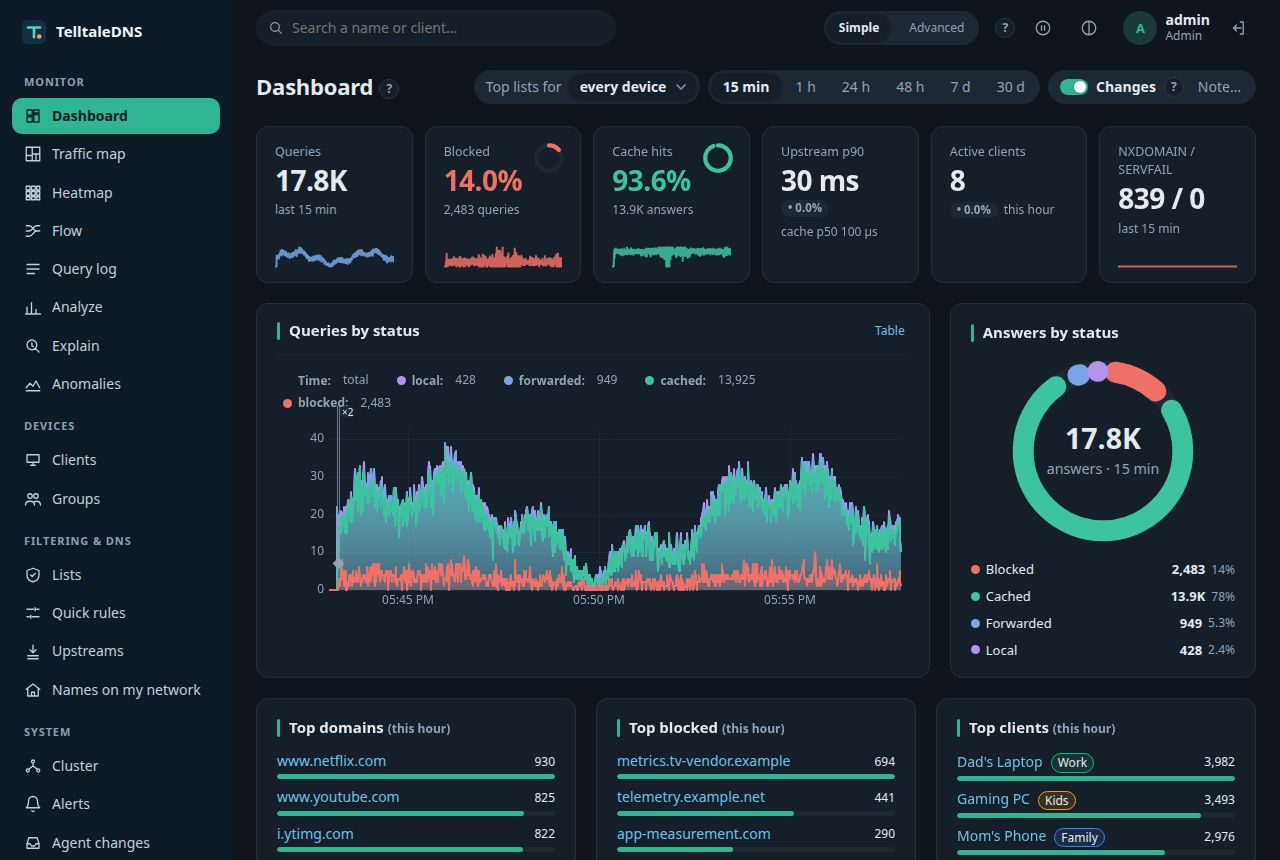
Dashboard: queries, blocked share, cache hits, latency, answers by status, and the top lists (a made-up demo network)
Dashboard in the dark theme
Dashboard (dark theme)
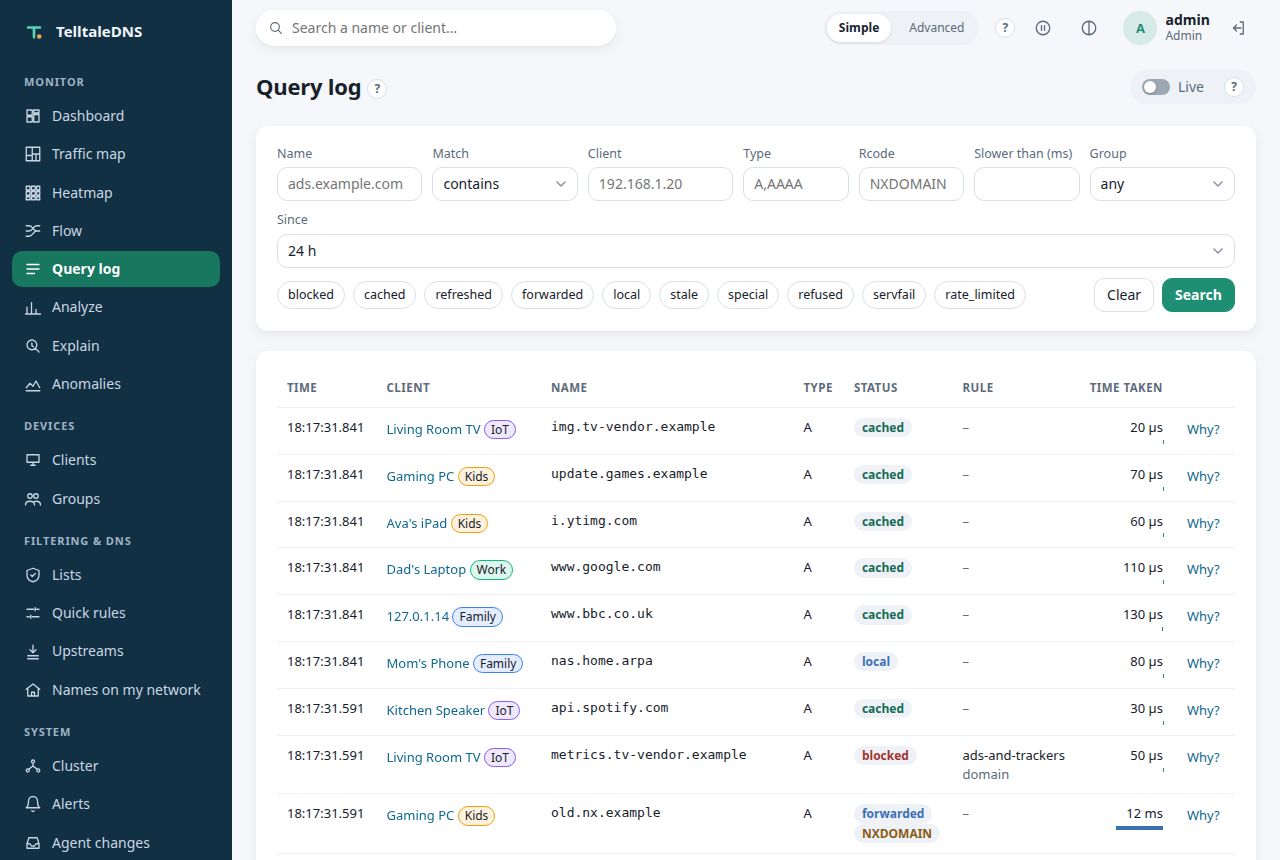
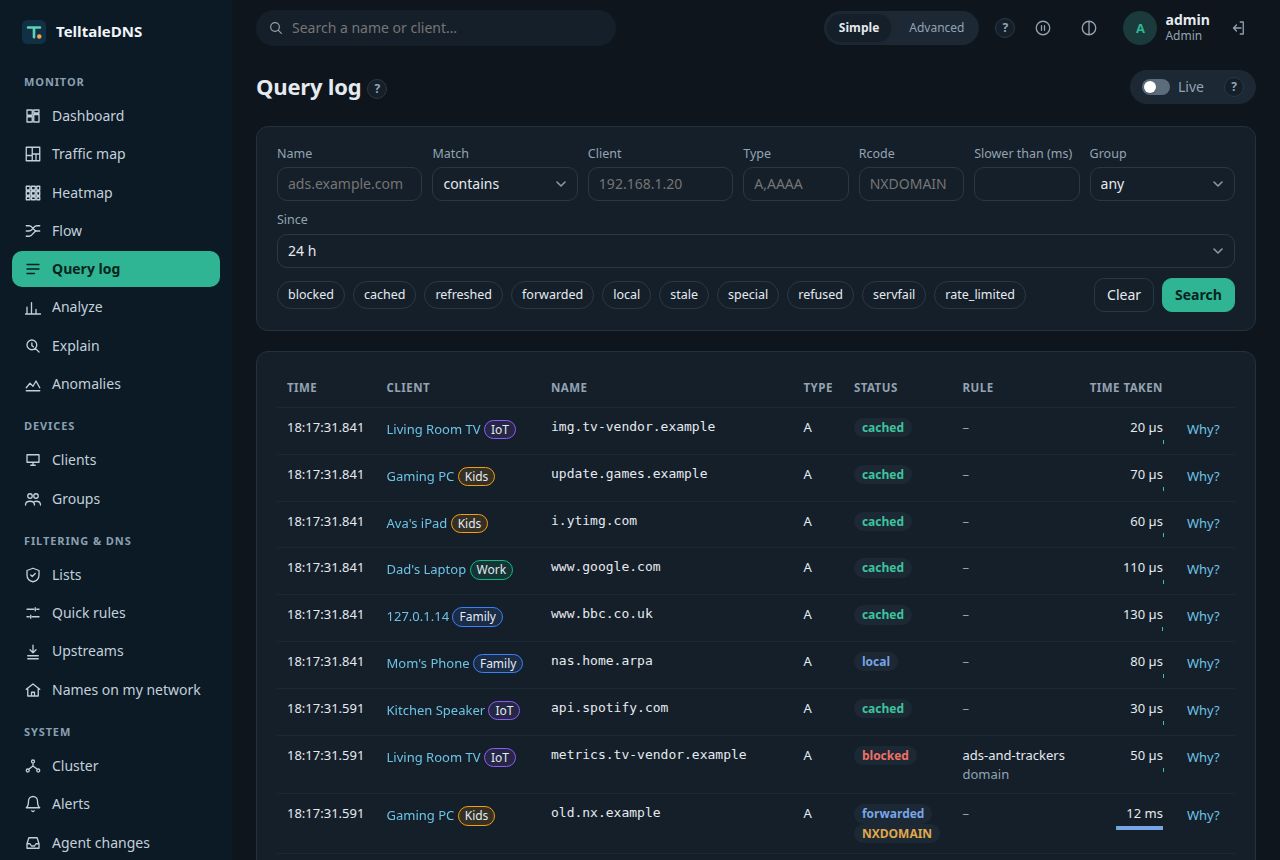
Query log with filters
Query log: every question, filterable, with timings
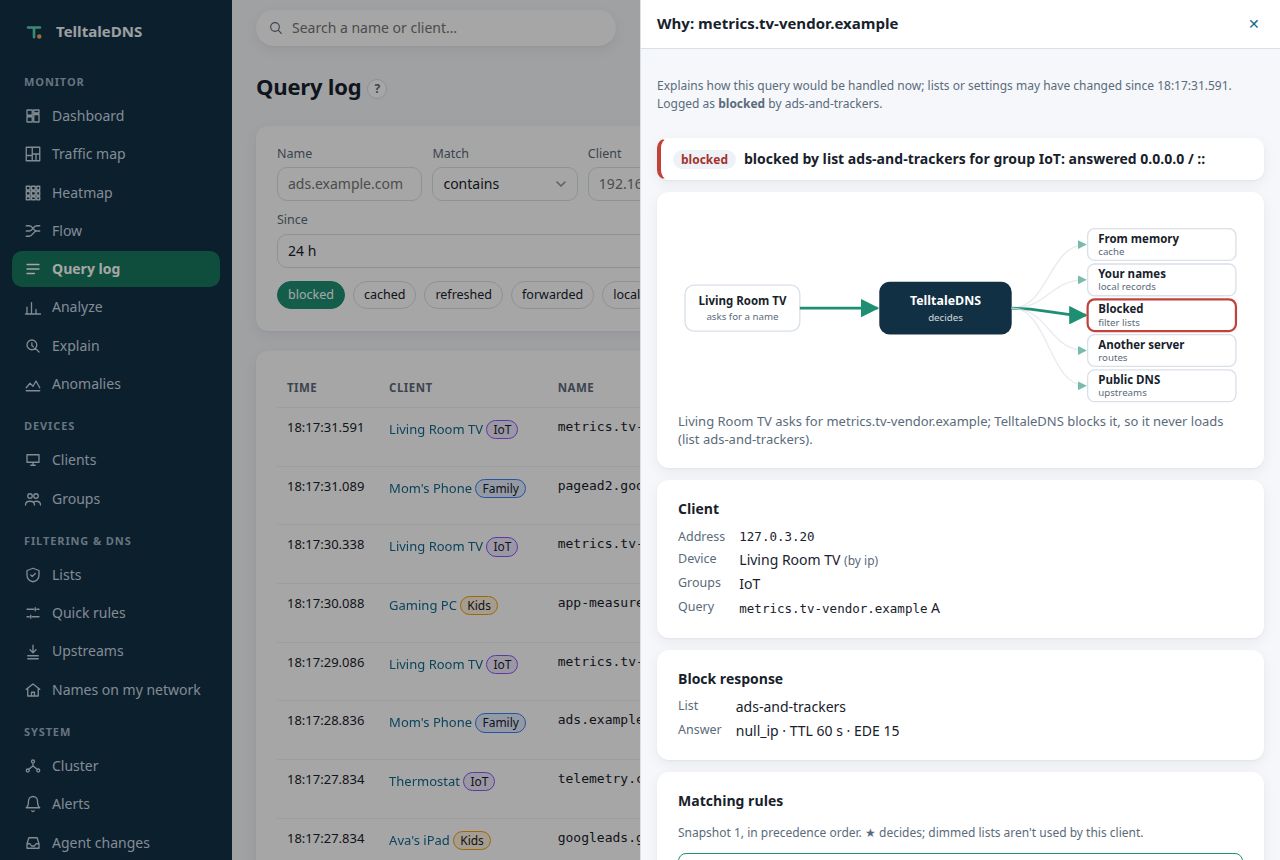
Why was this blocked: the list, its line number, and the rule
"Why?": the list and line behind every decision

Decide what's allowed

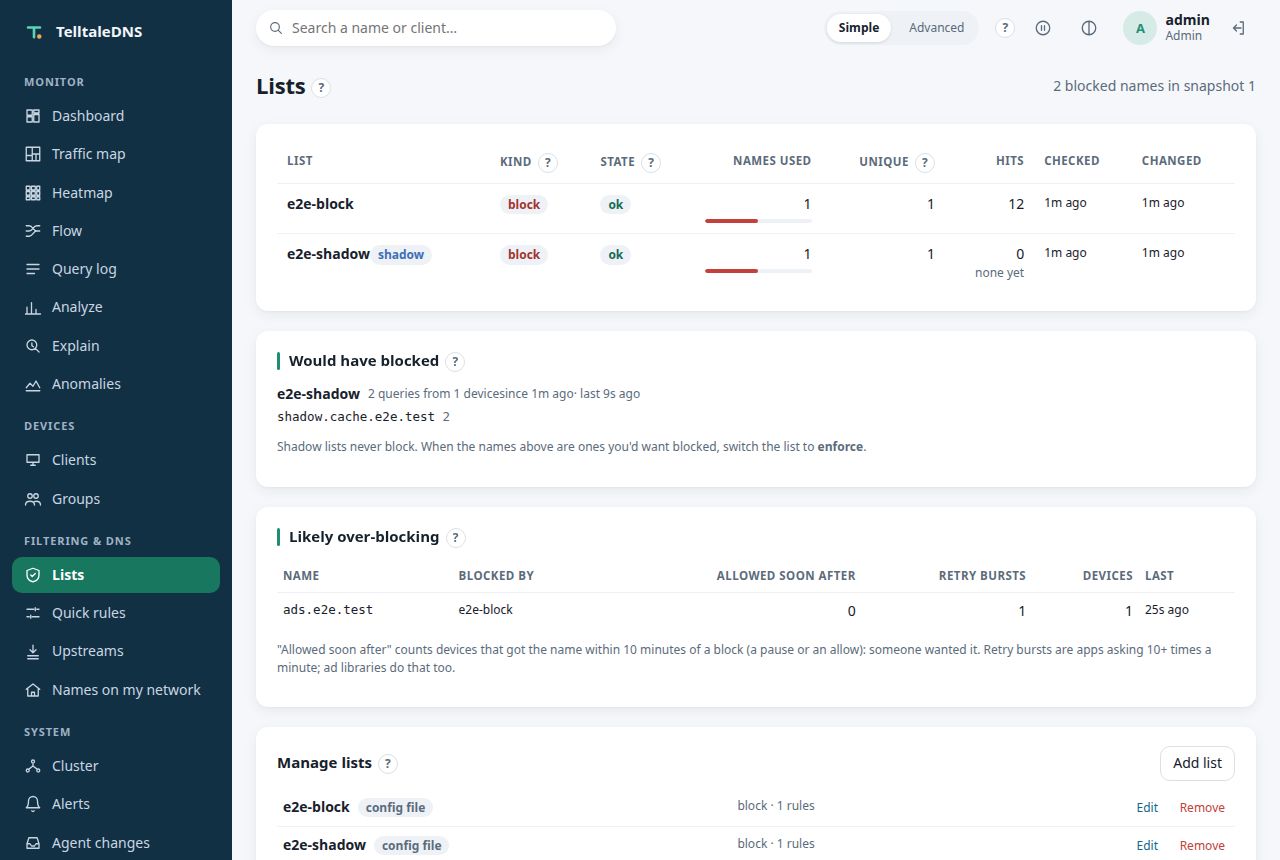
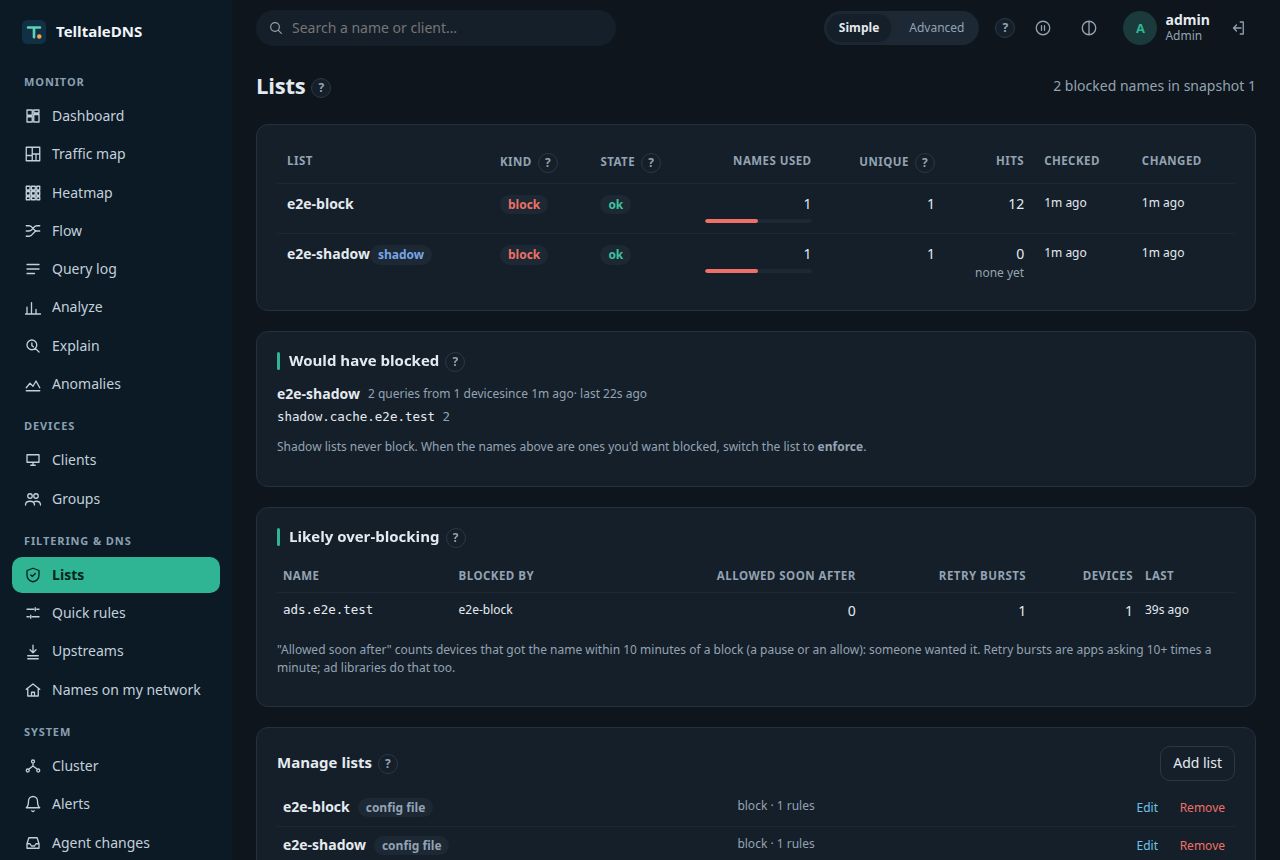
Blocklists with sizes and refresh status
Lists: sizes, refresh state, unique names, and overlap
Blocklists in the dark theme
Lists (dark theme)

Run it as one system

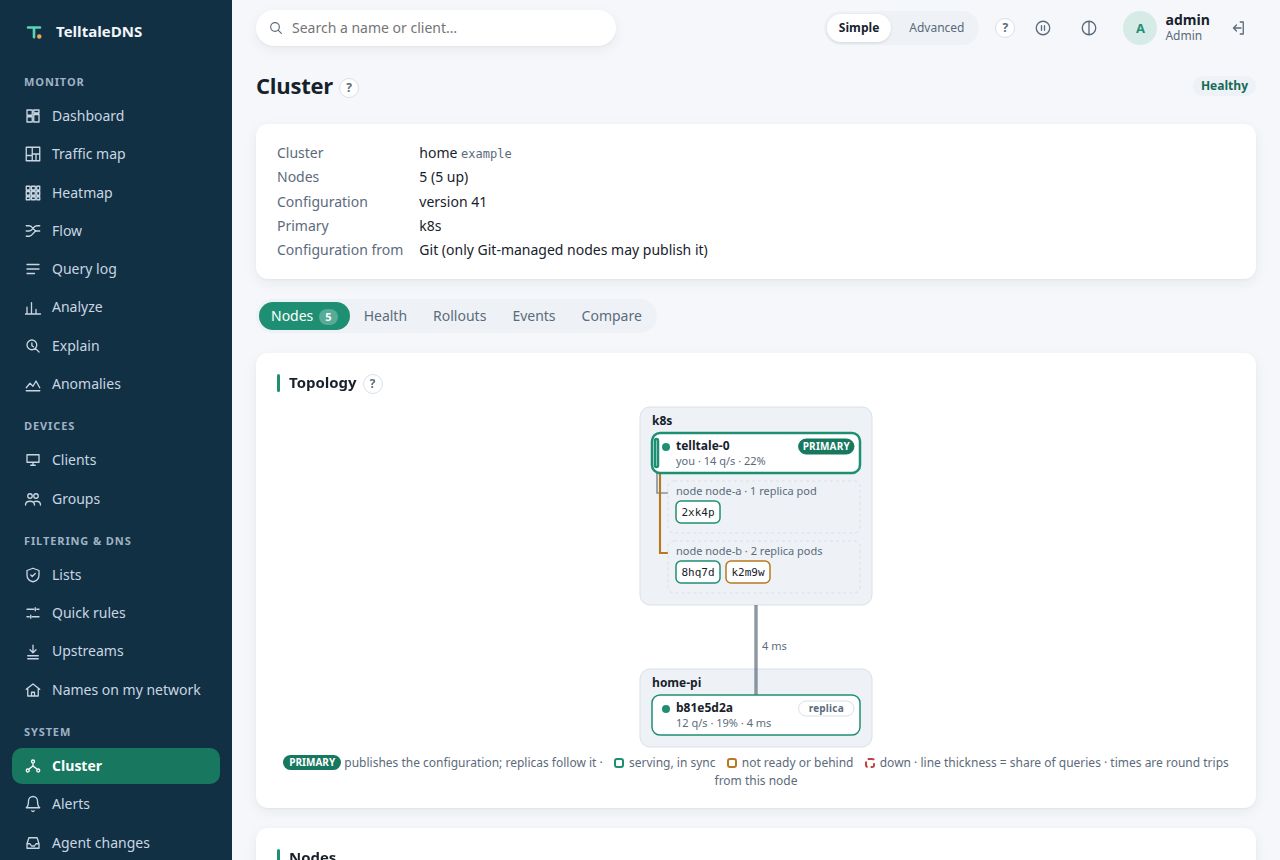
Cluster page: a live topology of a Kubernetes site with a controller and three resolver pods on two nodes, and a Pi
Cluster topology (example data: the test server runs alone)
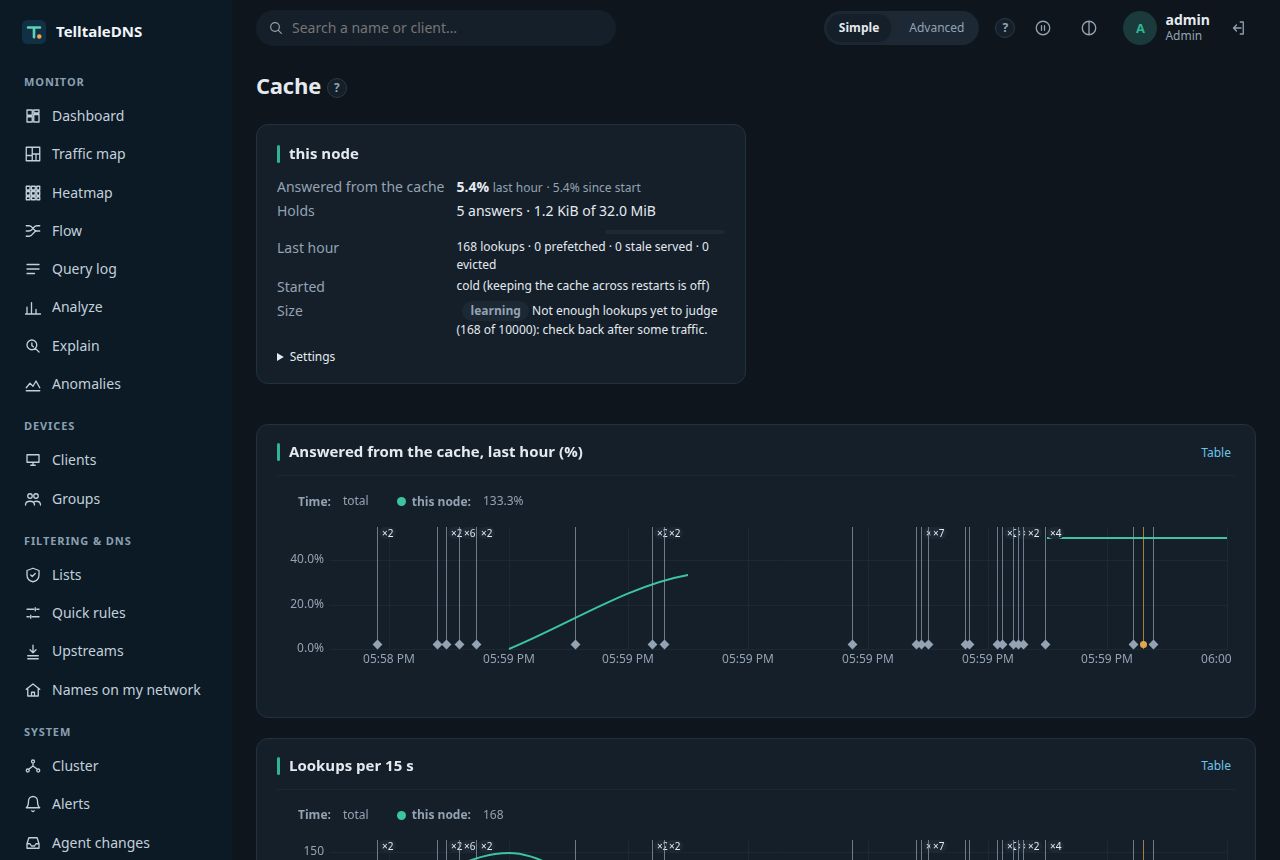
Cache page: hit rate, what the cache holds, settings, and the top entries, in the dark theme
Cache (dark theme)
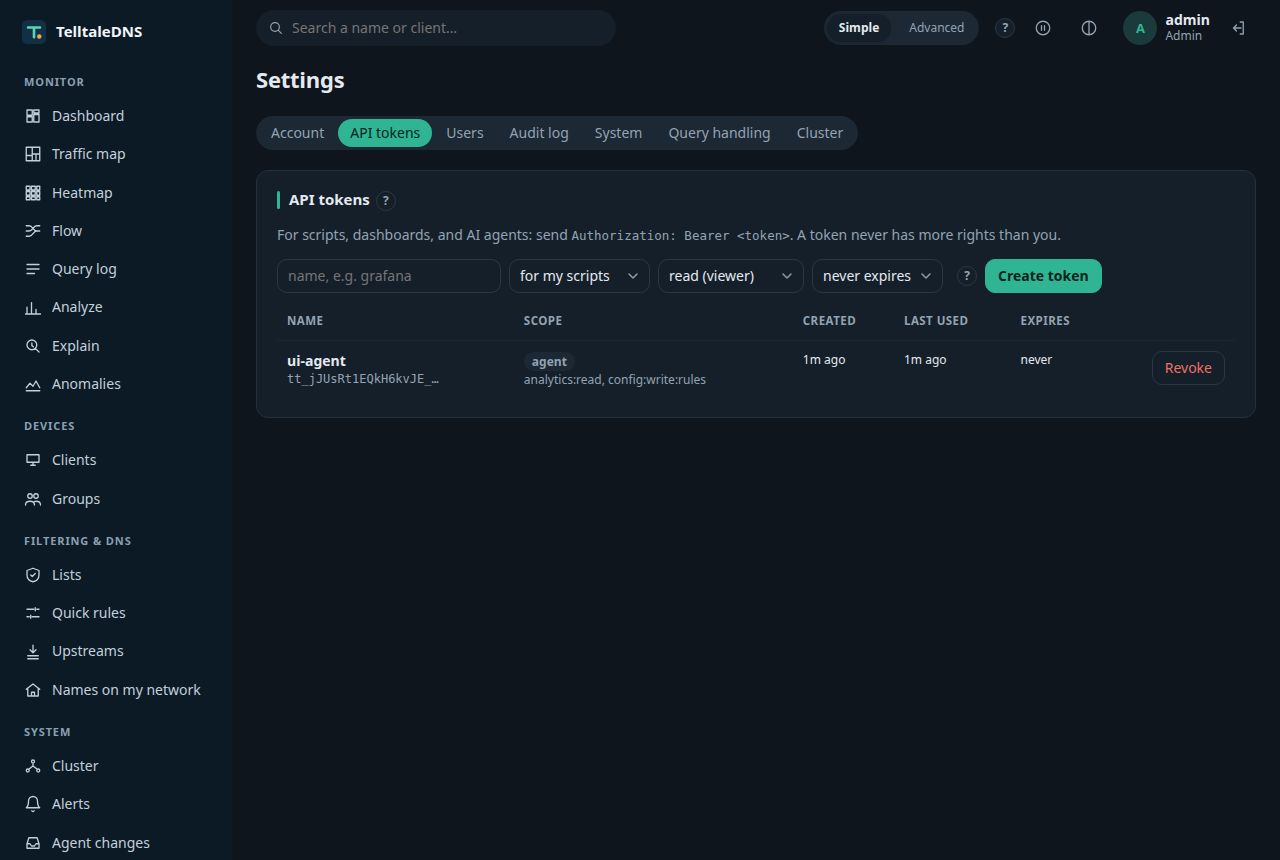
Settings: API tokens for scripts and AI agents, in the dark theme
Settings: API and agent tokens (dark theme)
Query log with filters, in the dark theme
Query log (dark theme)

More